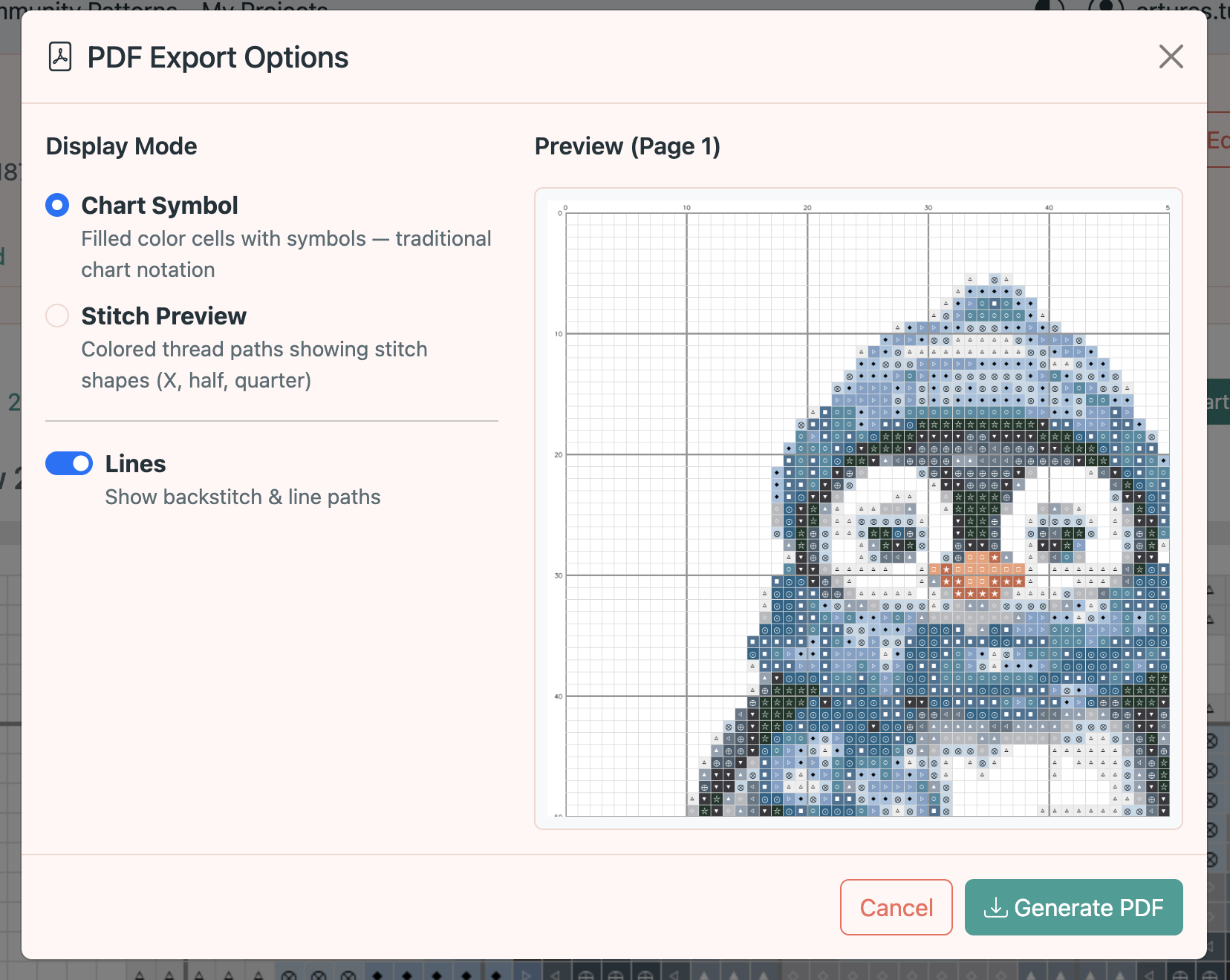
Printing & PDF Export
Preview your pattern across multiple tabs and export it as a printable PDF.
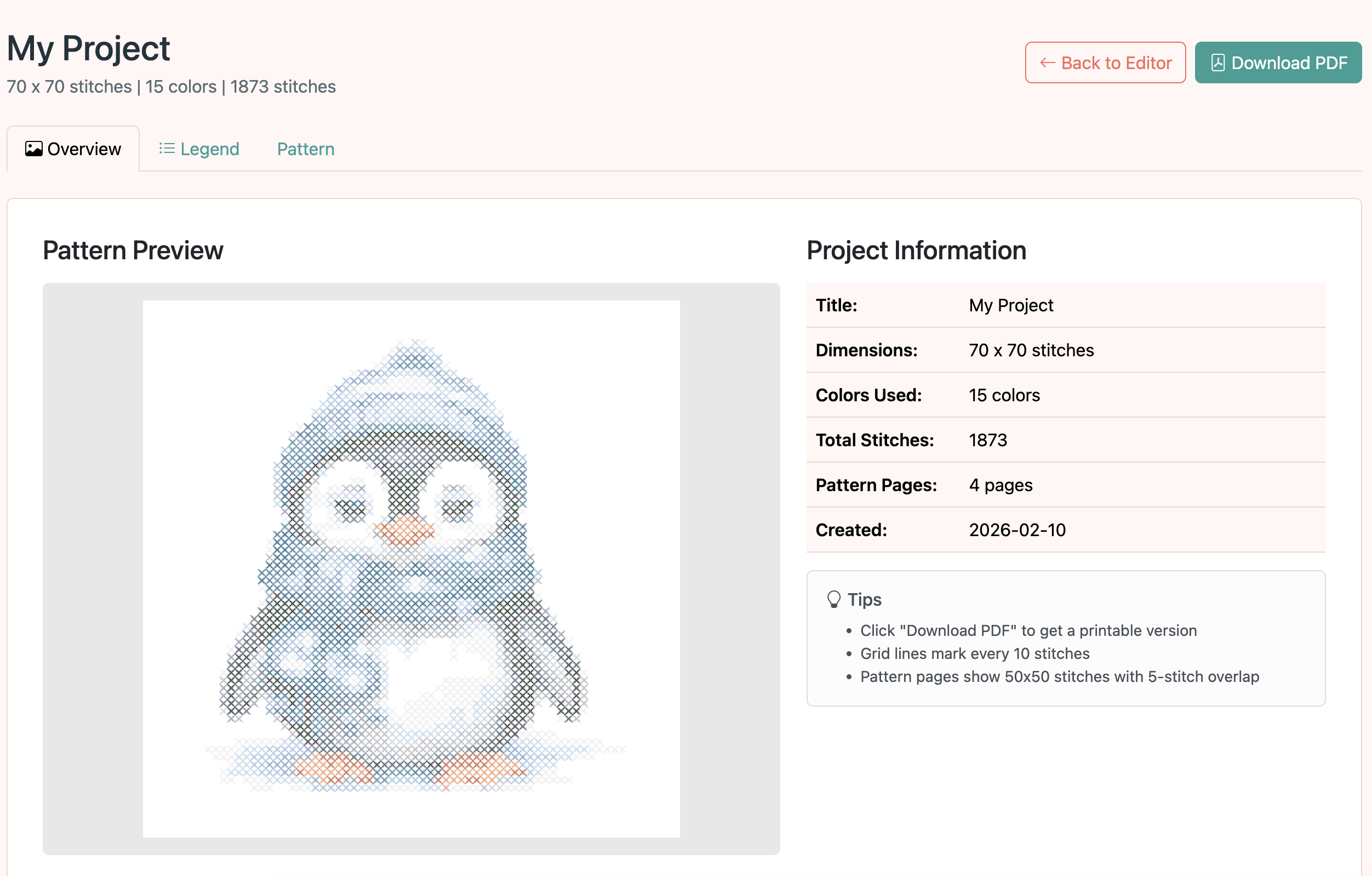
Overview tab
The print preview opens to the Overview tab, showing a full pattern preview along with project info like dimensions and color count.
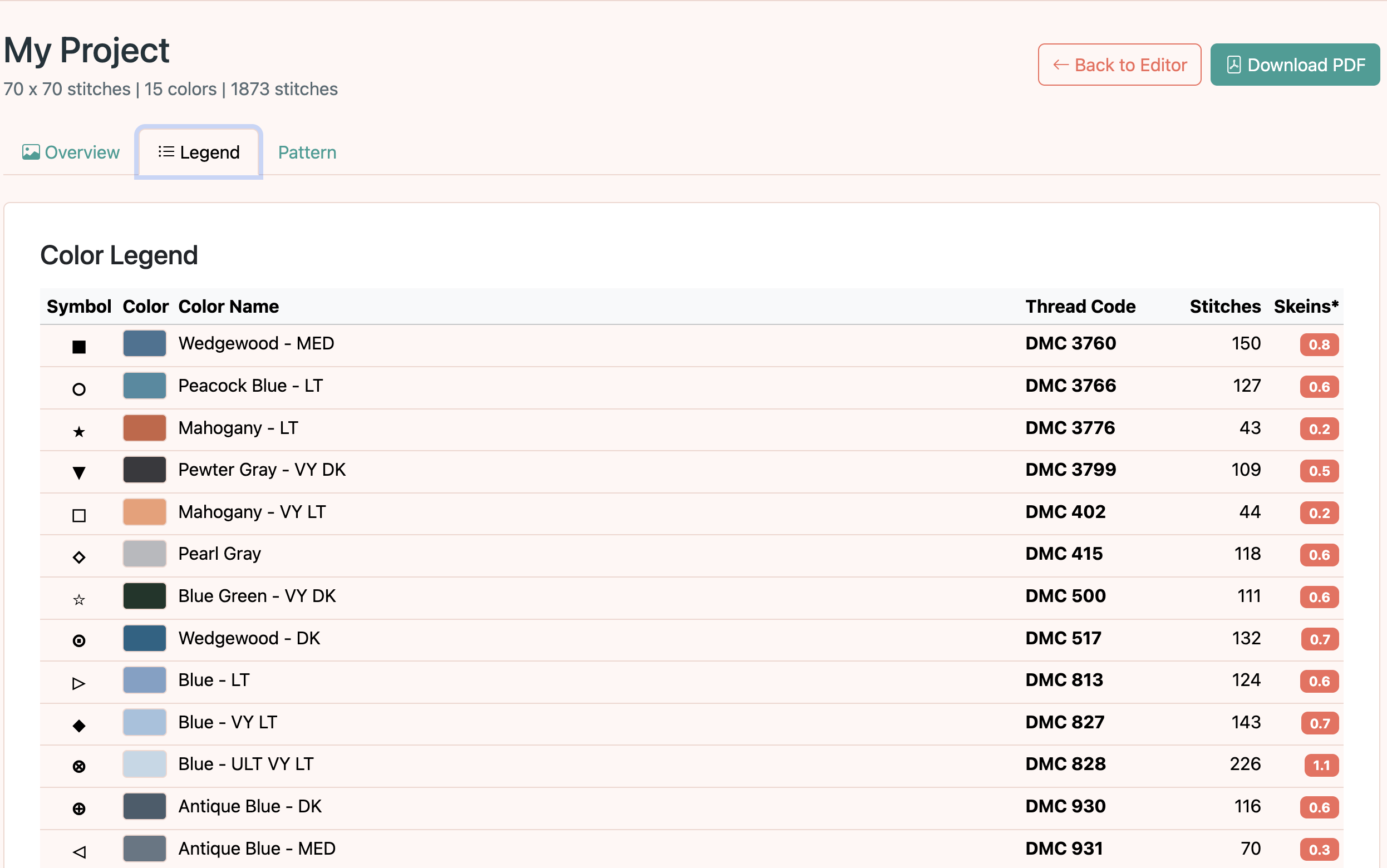
Legend tab
The Legend tab displays a table of all colors used in the pattern, including each color's symbol, name, vendor code, and stitch count.
Pattern tab
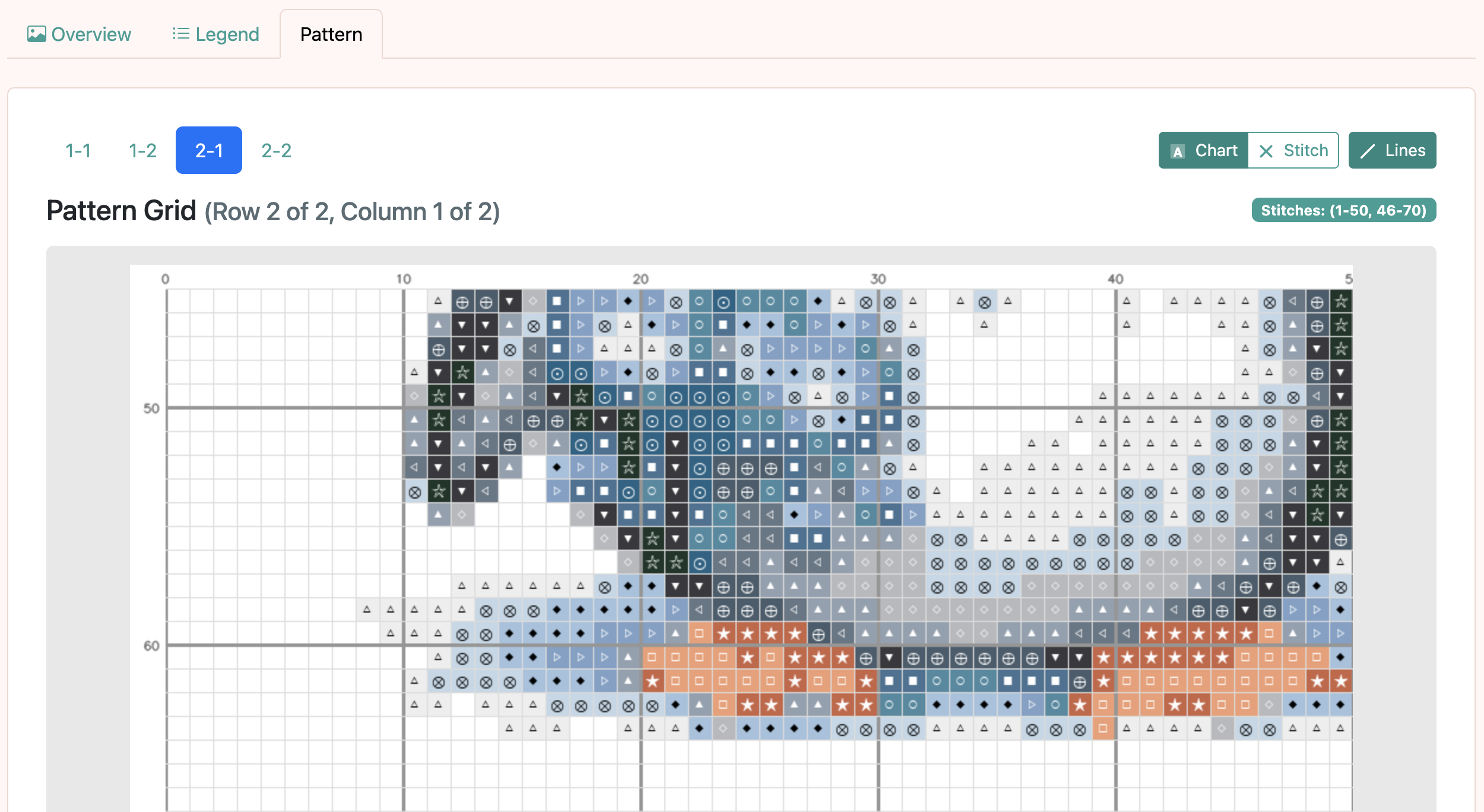
The Pattern tab shows the chart grid split into printable pages. Each page displays a section of the pattern with symbols and grid lines.
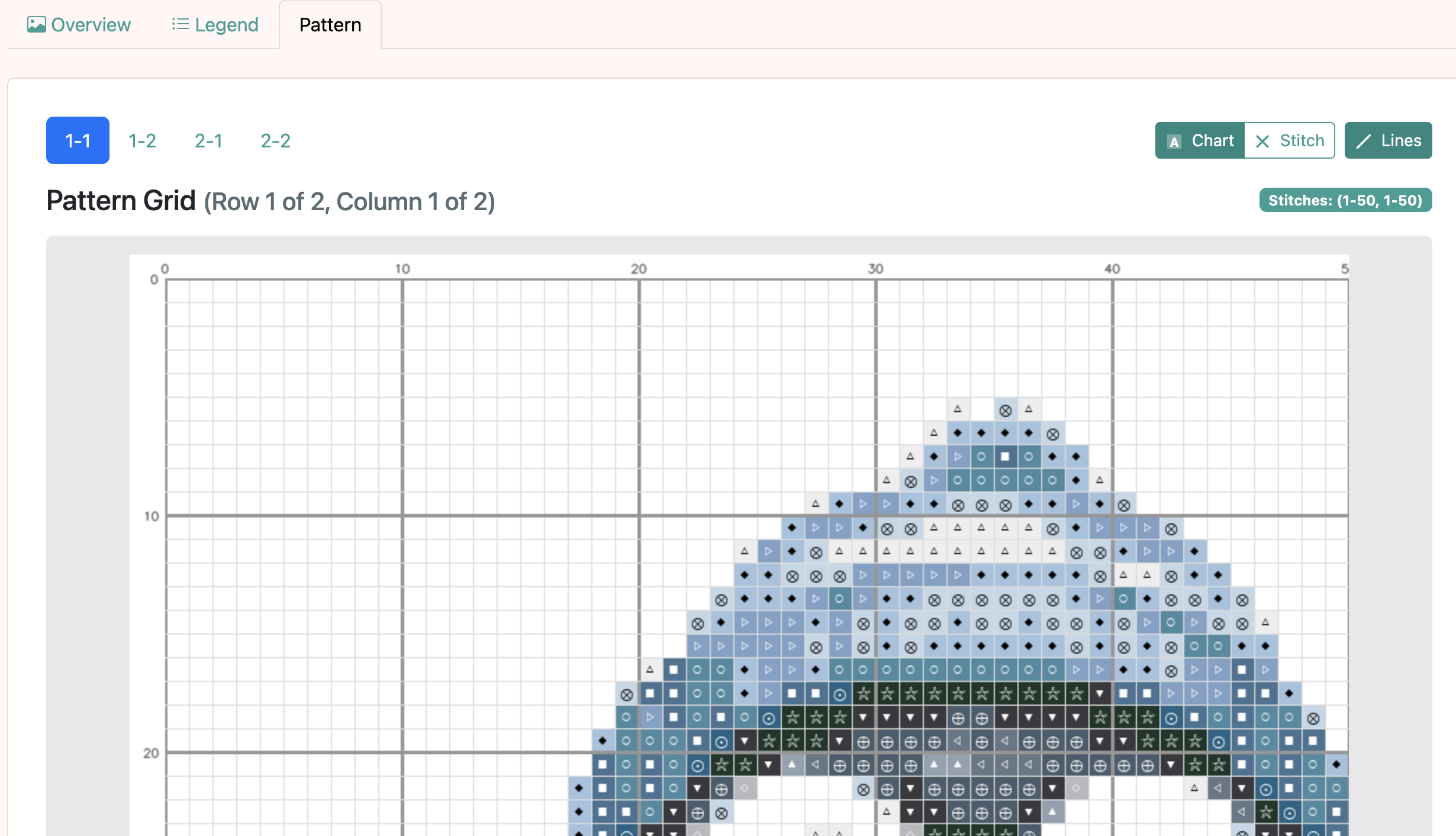
Navigating pattern pages
For large patterns, use the page navigation controls to browse between chart pages. Each page covers a portion of the grid.
Export to PDF
Click the Export PDF button to generate a printable PDF. The dialog lets you choose which sections to include: overview, legend, and/or pattern pages.